
In this topic
- Introduction
- Purpose
- Steps
- What Happens if You Do Not Provide Confirmation
- How Employees Select a Stapled Super Fund During Onboarding
- Troubleshooting
Introduction
This topic explains how to offer stapled super during onboarding using Flare.
Purpose
Enable stapled super during onboarding for your employees.
Steps
- Enable Flare in ePayroll from your Employer Home screen, if it is not already enabled. You need to be an Employer Authority to complete this. More details are available in How do I enable an integration with Flare HR?.
- On the Onboarding Dashboard, review the steps to authorise Flare on the ATO platform. You can also follow Flare’s guide: Authorise Flare for stapled super lookups.
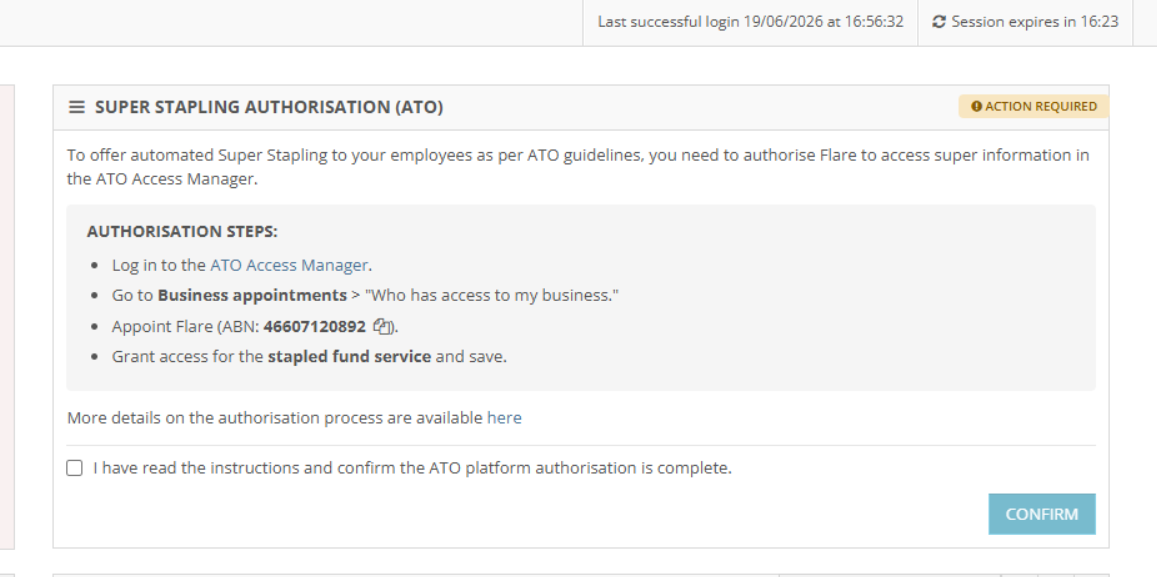
- After you have completed the authorisation, confirm this in ePayroll by selecting the checkbox and clicking Confirm.
- Provide the final confirmation by clicking Confirm Done in the popup.
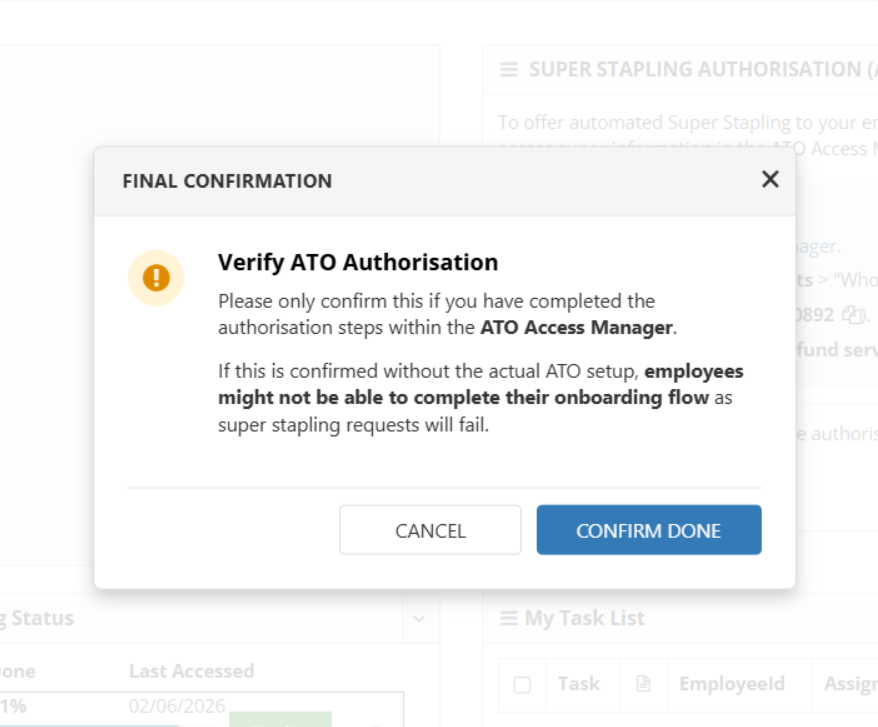
NOTE: Only confirm this after the authorisation is actually complete with the ATO. If you confirm before the ATO authorisation is complete, employees will not have stapled super fund information available to select.
What Happens if You Do Not Provide Confirmation
If you have Flare enabled and do not provide the ATO authorisation, ePayroll cannot offer the super stapling option to new onboarding employees.
As employers are required to offer the stapled super option to new employees, ePayroll disables the Add New Employee option in the Onboarding Employees section. You will see a banner instructing you to complete the authorisation.
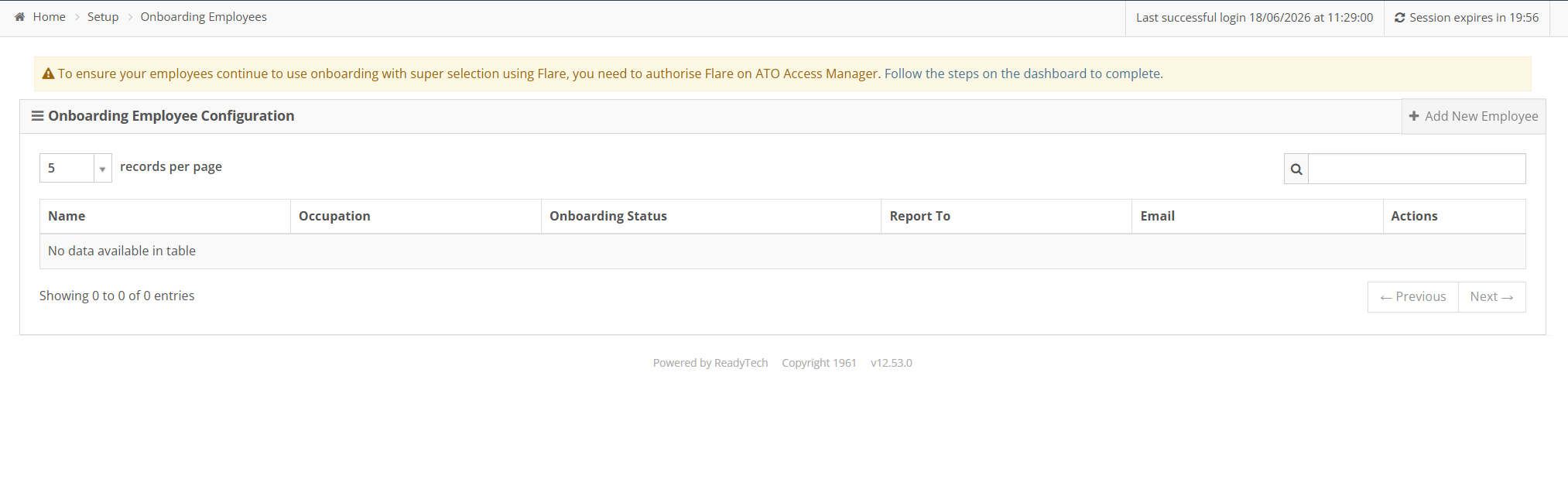
After you confirm the authorisation from the Onboarding Dashboard, the Add New Employee button should become available.
How Employees Select a Stapled Super Fund During Onboarding
Prerequisites
- Your employer has enabled Flare
- Your employer has completed ATO authorisation
Step by Step
- Start onboarding in ePayroll using the link received from your employer.
- Complete the TFN Declaration step, then select Next.
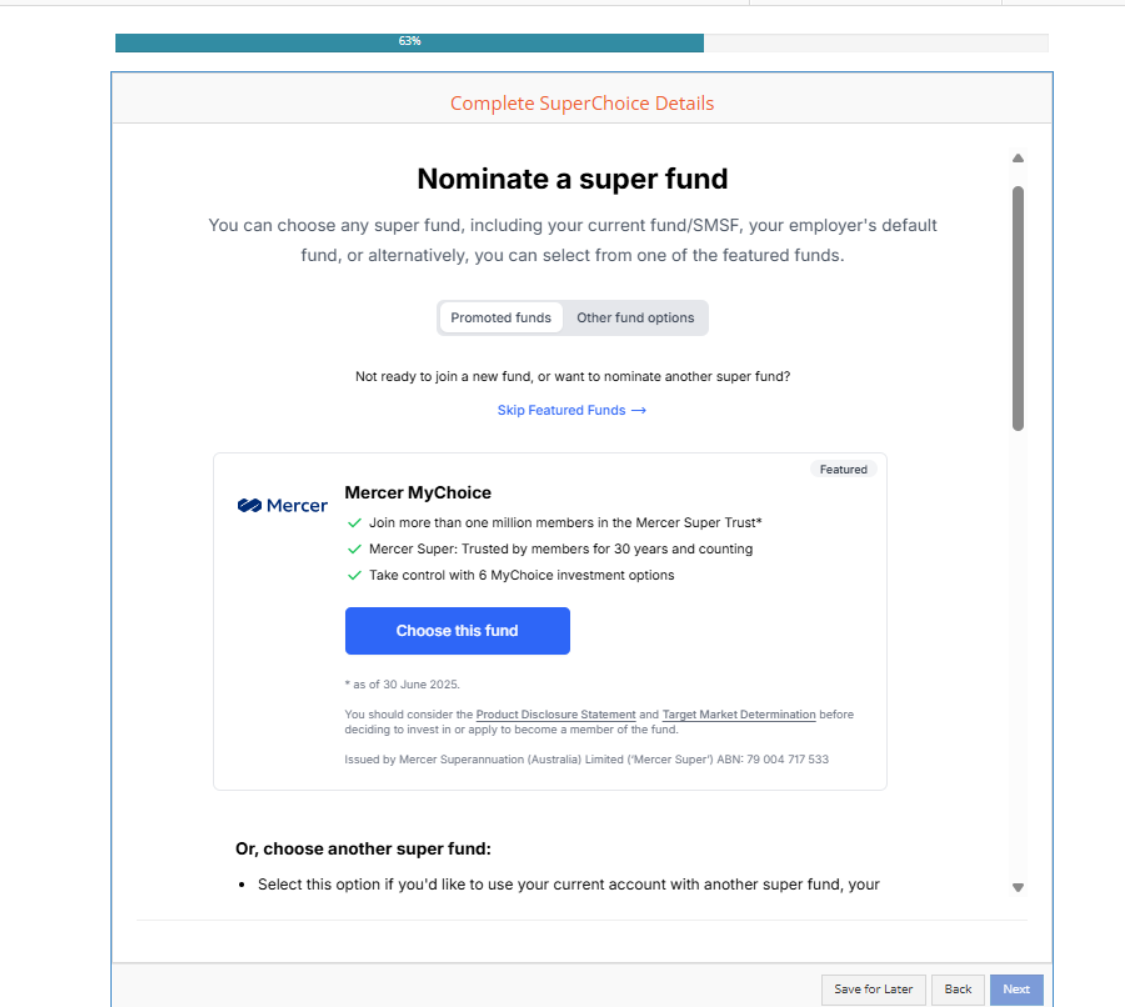
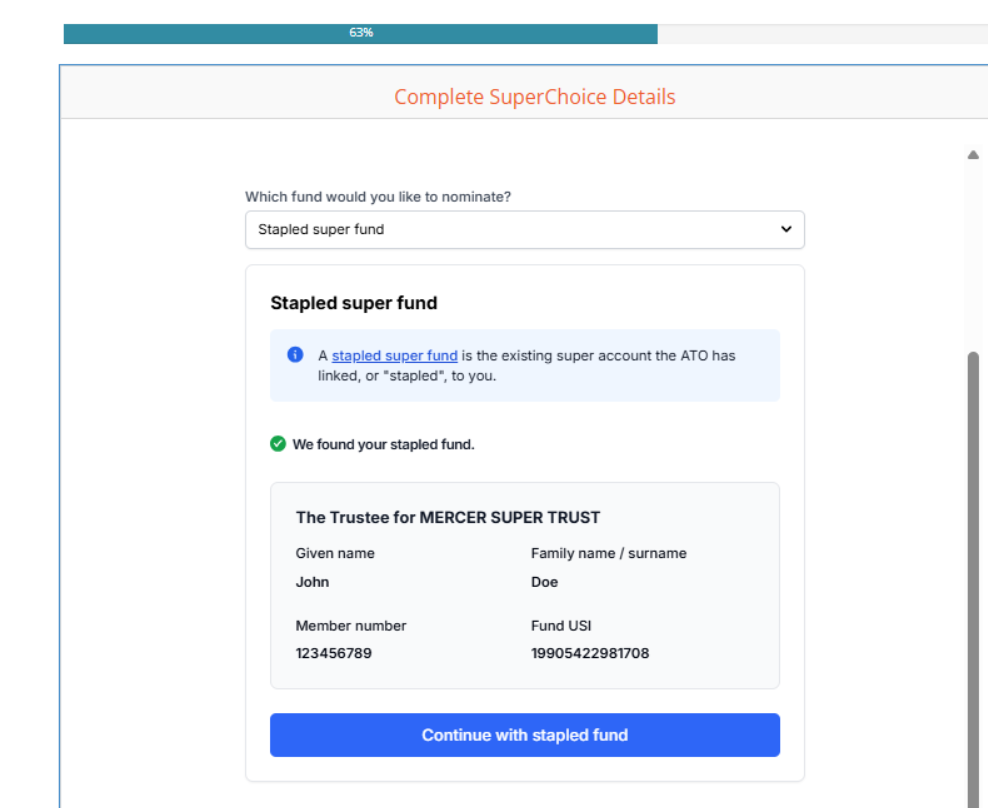
- In the Super Choice step, look for Other fund options and select Stapled super fund.
-
Request a lookup for your stapled super fund. ePayroll fetches your stapled fund details, which you can confirm by clicking Continue with stapled fund.
-
Finish the onboarding process by continuing with the remaining onboarding steps.
Troubleshooting
I cannot start a new employee in onboarding
If you have Flare enabled, complete ATO authorisation using Flare’s guide. Once done, confirm from the dashboard that authorisation is complete. After confirmation, you should be able to add new employees to onboarding.
I completed authorisation but still cannot proceed
Refresh your screen or log in again before you try again. If the issue persists, contact the ePayroll Support Team.
New onboarding employees do not see the stapled super step
Check that Flare is enabled for the employer and ATO authorisation is complete. Without these steps, stapled fund lookup is not available during onboarding.